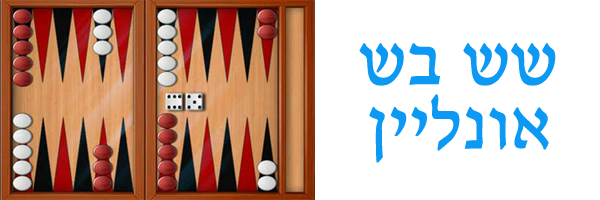
משחק שש בש אונליין ברשת – שחקו שש בש באינטרנט חינם להנאתכם
מה זה שש בש?
שש בש נכלל בקטגוריית משחקי לוח, או קוביות. המשחק עצמו מיועד ל-2 שחקנים בלבד ונחשב לאחד ממשחקי הלוח המשוחקים והאהודים ביותר. השש בש נפוץ מאד גם בישראל, וזאת למרות שמדובר במשחק עתיק שקיים כבר מאות אם לא אלפי שנים.
מהלך המשחק
המשחק משוחק על גבי לוח עם 4 איזורים, כאשר בכל איזור 6 משולשים עליהם שמים את עיגולי המשחק. כל שחקן מקבל בתחילת המשחק 15 עיגולים (שחורים או לבנים בהתאם לצבע שבו בחר לשחק) אשר מונחים תחילה בסידור קבוע (ראו סרטון מצורף בתחתית הדף).
לאחר סידור לוח המשחק ניתן להתחיל לשחק: כל שחקן בתורו מטיל את 2 קוביות המשחק ומנסה להביא את עיגולי המשחק שלו אל צדו הנגדי של הלוח במטרה להוציאם מהלוח בהמשך ולנצח במשחק.
איך יודע כל שחקן כיצד להזיז את העיגולים שלו?
לאחר זריקת הקוביות מסתכל השחקן על תוצאות כל הטלה בנפרד. השחקן מזיז עיגול אחד למקום אחר במשטח (רק קדימה ולא לאחור) בהתאם לתוצאה שיצאה בהטלת קוביה אחת. פעולה זו מתבצעת פעמיים בכל תור, שהרי הוטלו 2 קוביות.
איך מנצחים?
לאחר הבאת כל עיגולי המשחק לצד הלוח שקרוב ליריב מתחיל השחקן להוציא אותן מלוח המשחק בהתאם לתוצאות הטלות הקוביה שלו. מנגד, יכול היריב לבצע "לכידה" לעיגול משחק של השחקן ואז ייאלץ השחקן "לשחרר" את עיגול המשחק שנלכד באמצעות הטלת קוביה והשגת תוצאה מתאימה. השחקן לא יוכל להמשיך להוציא מהלוח עיגולי משחק עד אשר יצליח להשתחרר מהלכידה שבוצעה על ידי יריבו. במידה ונכשל, התור עובר ליריב. ניתן לבצע לכידה למספר רב של עיגולים ואין הגבלה מספרית כלשהי.
איך מתגוננים מפני מהלך של "לכידה"?
ההגנה הכי טובה מפני "לכידה" היא על ידי ניסיון למנוע מהיריב את האפשרות ללכוד את אחד העיגולים שלנו. איך עושים זאת? מנסים ליצור מצב בו יש מספר עיגולים על כל משולש בלוח המשחק. "לכידה" מתאפשרת רק אם על משולש כלשהו בלוח מונח עיגול אחד בודד, ולכן כדאי לנסות להימנע מהשארת עיגולים בודדים על הלוח.
מושגים שכל שחקן שש בש מקצועי או חובבן חייב להכיר
דאבל: מתייחס למצב בו שחקן זרק את שתי קוביות המשחק וקיבל בשתיהן את אותו המספר. במידה והתקבל דאבל יכול השחקן למספר כפול של צעדים. למשל: שחקן הטיל את 2 הקוביות וקיבל את התוצאה 3:3 (בשתי הקוביות התקבל המספר 3) – במצב כזה יקבל השחקן 4 מהלכים של 3 צעדים כ"א, במקום ל-2 מהלכים של 3 צעדים כ"א.
הפרדה: סיטואציית משחק בה כל שחקן הצליח להעביר את כל עיגולי המשחק שלו אל צדו של היריב ותמו אפשרויות ה"לכידה". במצב כזה מי שיצליח להוציא את עיגולי המשחק מהלוח (בהתאם לתוצאות ההטלות) מהר יותר הוא זה שינצח.
בסיס: כל שחקן מתחיל את המשחק מצד לוח מסוים, אשר מכיל 6 משולשי משחק ונקרא "בסיס".
יעד: המקום בלוח אליו שואפים שני השחקנים להביא את כל עיגולי המשחק שלהם. מדובר בצד הנגדי לבסיס שלהם (מולו) שמהווה בעצם את הבסיס של השחקן היריב.
משולש: לוח המשחק מחולק ל-24 משולשים – 6 משולשים בכל אחד מ-4 צדדי הלוח. במהלך המשחק מוזזים עיגולי המשחק בין המשולשים השונים עד ההגעה לצד היעד.
משולש פנוי ומשולש תפוס: משולש שאין עליו אף עיגול משחק נקרא "משולש פנוי". מאידך, משולש שעליו מונחים שני עיגולי משחק או יותר בצבע זהה נקרא "משולש תפוס" והמשמעות של משולש כזה היא שליריב אסור להניח את עיגולי המשחק שלו על משולש זה, אלא צריך לחפש לעצמו "משולש פנוי". שם נוסף ל"משולש תפוס" הוא "בית".
אילו סוגי ניצחונות קיימים בשש בש?
רגיל: ניצחון רגיל מקנה למנצח נקודה אחת. ניצחון זה מושג על ידי הוצאת כל עיגולי המשחק של השחקן מלוח המשחק לפני השחקן היריב.
מארס: מוכר גם כ"ניצחון כפול" ומקנה למנצח 2 נקודות. מארס הוא כאשר המנצח הצליח להוציא מלוח המשחק את כל עיגולי המשחק שלו בעוד שיריבו טרם הצליח להוציא אפילו עיגול אחד.
מארס טורקי: מוכר גם כ"ניצחון משולש" שמקנה למנצח 3 נקודות. ניצחון שמתקבל כשהמנצח הצליח להוציא את כל עיגולי המשחק שלו מהלוח בעוד שליריב עדיין יש עיגולים בבסיס המשחק של היריב וטרם הוציא עיגול אחד שלו מלוח המשחק.
מארס כוכבים: מזכה את המנצח ב-4 נקודות. ניצחון בו המנצח הוציא את כל עיגולי המשחק שלו מחוץ ללוח המשחק וליריבו יש עיגולים לכודים וטרם הוציא עיגול אחד בעצמו.
מארס עולם: מזכה את המנצח ב-5 נקודות. מצב בו המנצח סיים להוציא את כל העיגולים שלו מלוח המשחק בעוד שליריב יש עיגולים לכודים, בנוסף לעיגולים על בסיס המשחק שלו (של היריב) וטרם הוציא עיגול אחד מלוח המשחק.
אסטרטגיות וטקטיקות משחק נפוצות
אסטרטגיית בנייה: השחקן מנסה לבנות כמה שיותר "בתים" (משולשים תפוסים) באיזור היעד.
אסטרטגיית בריחה: השחקן מנסה להוציא כמה שיותר עיגולים מאיזור הבסיס שלו.
אסטרטגיה משולבת: השחקן משלב את אסטרטגיות הבנייה והבריחה, כלומר מנסה לבנות "בתים" רבים באיזור היעד שלו על ידי הוצאה מהירה של עיגולי המשחק מאיזור הבסיס שלו.
אסטרטגיה סגורה / מתגוננת: השחקן ינסה להשאיר כמה שפחות עיגולים בודדים על משולשים ולמנוע ככל שניתן אפשרות ל"לכידה".
אסטרטגיה פתוחה: הזזה מהירה קדימה של עיגולים גם במחיר של השארתם בודדים על משולש. לעיתים משתמשים באסטרטגיה זו על מנת לגרום ליריב לבצע טעויות.
אסטרטגיית הסוס הטרויאני: השחקן ינסה לבנות כמה שיותר בתים בבסיס שלו עצמו (ביעד של יריבו) וזאת בשביל לא לאפשר ליריב להכניס עיגולי משחק לאיזור וליצור הזדמנויות "לכידה" שלו.
איך לשחק שש בש? סרטון הדגמה
קצת על שש בש אונליין – משחק שש בש באינטרנט
כבר לא מעט שנים משחק שש בש אונליין ברשת האינטרנט הוא דבר נפוץ ופופולרי. כיום עשרות אלפי אנשים בישראל משחקים שש בש באופן מקוון על בסיס יומי, חלקם בצורה חובבנית בשביל הכיף וההנאה וחלקם משחקים על כסף אמיתי במטרה לצבור הון. משחק שש בש באינטרנט יכול להתבצע מול מחשב (רובוט) או מול שחקנים אמיתיים אחרים. באתרי אינטרנט רבים ניתן לשחק מול אדם אחר לפי בחירה (חבר למשל) או מול אדם אקראי שהאתר יבחר עבורכם.
למידע נוסף על משחק השש בש מתוך האנציקלופדיה החופשית ויקיפדיה – לחץ כאן
אתרים מומלצים שאסור לפספס: אתר קבוצת ביזנסוייז | אתר הדיאטות דיאט מאסטר | פורטל Dentalguide